Online privacy is one of the biggest concerns in today’s age. Unfortunately, big tech companies, the government, hackers, and all sorts of notorious elements are out there to steal your data and use it without your concern. That is why it is essential to have some potential candidates for the best privacy browsers for iPhone.
If you are looking for an excellent privacy-oriented browser for your iPhone, then your quest ends today as this guide is all about the best privacy browsers for iPhone.
One question that comes to mind is: What really is a privacy browser? A web browser that keeps your personal information safe or does not even collect it does not allow websites to track your movements on the internet, protects you from target ads, has an ad-blocker, and does not keep your browsing history privacy browser. So, based on that, here is our list:
List of Best Privacy Browsers for iPhone (iOS)
1. Brave Private Browser
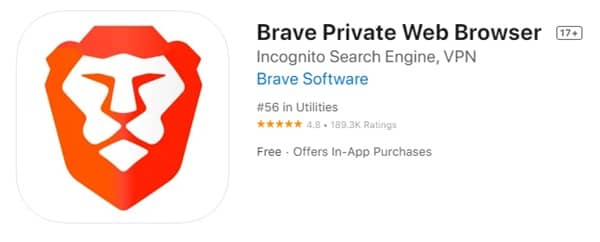 Brave is one of the best privacy browsers for the iPhone and it has gained a lot of popularity over the last few years. Brave is highly secure, and it is super fast, safe, and secure, which all people want from a private browser. The great thing about Brave is that it comes with a built-in ad blocker, firewall, and VPN as well.
Brave does not track you or your searches and people mostly use it because it has a built-in ad blocker that allows users to watch YouTube content uninterrupted. Overall, it has a great browsing experience and is good for privacy.
2. DuckDuckGo
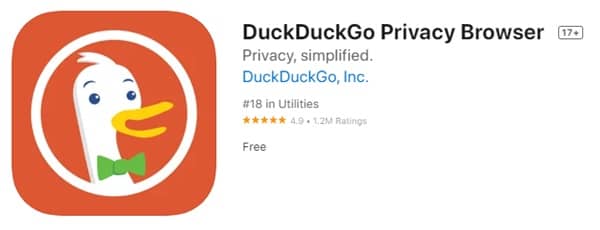 Next on the list is DuckDuckGo. If you are tired of major tech companies censoring free speech and blocking controversial articles from ranking on top, then this one is for you. DuckDuckGo comes with tracker blocking, smart encryption, and incognito search privacy features. With such features, you are always protected from the harms of the internet.
The great thing about DuckDuckGo is that it allows users to clear all tabs and browsing data with a single tap. To further enhance security, users can make this browser more secure using FaceID or TouchID.
3. Onion Browser
 Some keen users might have heard of the TOR browser that people use to access the dark web. Onion Browser is quite similar in that sense, but it is totally safe and one of the best privacy browsers for the iPhone.
Onion Browser is available for iOS. It allows users to stay anonymous on the internet and browse whatever they like. If your goal is to stay anonymous on the internet, then Onion Browser is perfect. It protects your privacy from website trackers and comes with the option to auto-switch to HTTPS when available.
4. Firefox Focus: Private Browser
 Firefox Focus is another great privacy browser. It can easily protect you from various online trackers. Coming from Firefox itself, the user interface and browsing experience are just great. With the private browsing mode, you can easily keep your private history separate from the default browser.
All data in private browsing mode can be erased with a single tap. The browser is excellent for privacy as it protects you from annoying Facebook ads and trackers. If you care for your privacy and want a good browser, check this one out.
5. Avast Secure Browser
 Avast is one of the top brands when it comes to privacy and security and Avast Secure Browser is their best offering for iPhones. The browser comes with a built-in VPN, an ad blocker, and data encryption. Overall, you will get all of the privacy tools necessary on Avast Secure Browser.
This browser is more than capable of protecting your data from hackers, trackers, and ISPs. The encryption in incognito mode makes it easy to browse all the content safely and securely. Then there are custom browsing modes that provide users with a superior browsing experience.
6. Aloha Browser
 If you want the best of both speed and privacy, Aloha is the browser for you. This browser is great for private browsing as it has a built-in VPN that blocks any potential trackers.
Users can get up to twice the speed of some of the other browsers on the list. It also blocks all spammy ads to enhance their browsing experience. It also has a built-in media player with VR support.
7. Safari
 Apple’s Safari browser is also one of the best privacy browsers for iPhones. Over recent years, Apple has worked a lot on Safari, and now it is easily one of the best browsers in the world.
The most significant advantage of Safari is its seamless integration with the Apple ecosystem. It just makes the entire browsing experience smooth. Safari also has the option to block cookies and trackers on its own.