Flashlight Apps are essential for all Android users because these apps are a great source of Light for your night. There are many scenarios where you might require a flashlight, like when you’ve lost your keys, walk down an unlit street, locate an essential item, etc.
In the past, you could utilize a torch that you could carry around to find lost objects in the dark, but If you’ve got the Android flashlight app, the brightest and most influential are with you throughout the day.
You can easily switch on the flashlights and give them different effects, like flashing, emergency light, disco light, police light, etc. These flashlights with the best Light effects allow you to see clearly in darkness without fear of the night.
Best Flashlight App For Android in 2024
You can download a variety of flashlight apps on Android for free. However, it would help if you were cautious when choosing the right one since there are apps that harm mobile phones.
1. Flashlight
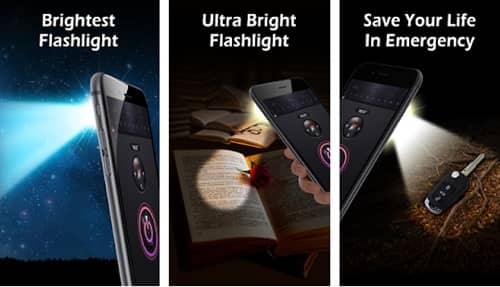 The creator of Peacock Photo Studio developed this flashlight application. The application has more than 52,000 PlayStore users who have downloaded the application. This application offers a wide range of features for lighting exclusively through mobile phones.
The essential features of the Flashlight include Torchlight with Dark or Dark Color Screen Light. Therefore, a power failure won’t stop you from reading in the darkness. Other features included in this application include a Morse Code Flash Light for SOS and a fully equipped Compass & Map.
2. Brightest Flashlight
 This application makes use of its LED Flash on your smartphone’s camera. This application, however, makes the Light coming from your camera’s LED Flash stronger. As a result, this application can maximize the LED flash function present on the camera on your phone.
This app also lets you set the backlight keyboard and the main screen on your phone’s display at maximum brightness. So it can activate all the lights presently available on your smartphone. This flashlight app for free on Android has been rated 4.5 in the Play Store.
3. Bright Light Flashlight
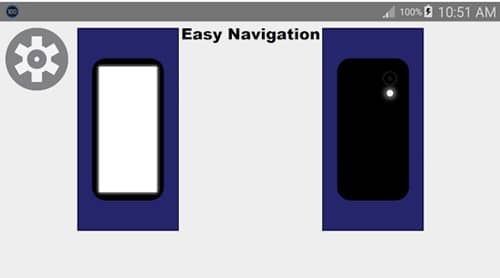 Bright Light Flashlight is an easy, free flashlight application developed by a small team based in Canada. The camera flash and on-screen flashlights are set to maximum brightness. Bright Light has a very user-friendly interface and navigation.
There are also many valuable options, such as selecting different colors for the screen flashlight and making use of the camera’s Flashlight in conjunction with various other applications; however, not as many options that it becomes overpowering.
Therefore, I highly recommend this app to anyone looking for a great general-purpose flashlight application.
4. Tiny Flashlight + LED
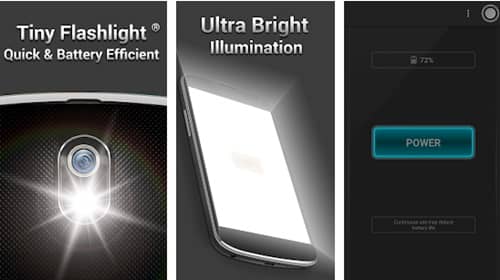 Tiny Flashlight + LED is an easy flashlight application for your Android device. It will give many features, including the ability to create a strong flashlight. The application is compelling and has various screen modes, so you can select one that is comfortable for your eyes.
Additionally, the color mode allows you to alter the hue of your display in the time frame. Therefore, the application will guide you most effectively if you do not want your home to be completely dark or like reading books at night.
5. Flashlight LED Genius
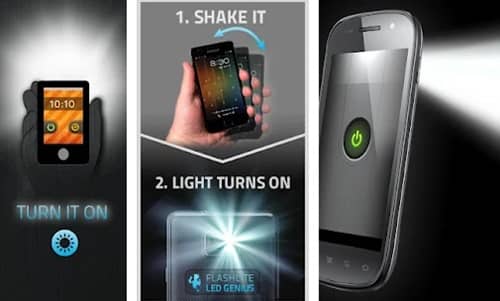 This flashlight application for Android is the coolest in this listing. It’s because of the Shake to Light feature available in this app. This feature lets you start the Flashlight by shaking the Android smartphone.
Additionally, the application offers hundreds of themes for widgets and display applications. You can also disable advertisements by using the menu for ads in the Settings menu. Additionally, cameras are the exclusive access you’ll need to install the application.
6. Color LED Flashlight Selene & FLASH
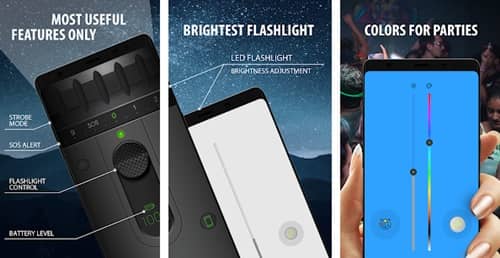 If you’d like to try a unique and highly bright flashlight application for Android, You can test Color LED Flashlight Selene & FLASH. The tool is also a great performer and has many valuable features to help you through the dark.
It’s easy to use, as it has an elegant interface. The minimalist design lets users quickly locate the button after opening the application. Additionally, you can utilize the widget option to search for apps on the home screen in a snap.
7. Flashlight LED – Universe
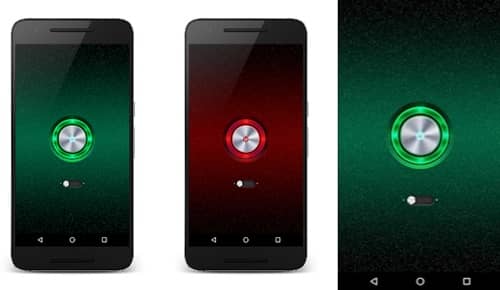 Flashlight LED is here to help you get through the dark by illuminating the surroundings using your device’s flash. The app has everything you’ll need to have a multi-functional torchlight.
It also has various options built around the device’s display and flash, ensuring you are illuminated in any scenario. Additionally, it’s more user-friendly, and anyone with no prior experience will be able to make use of this app with ease. It also runs with older Android devices without a hitch.
8. Smart Light
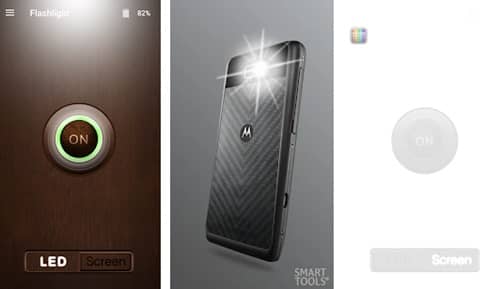 If I had to describe this application in one word, it would be “simple.” The LED Flashlight and screen light functions are simple to use and comprehend. The Light on the screen feature offers an improved option for colors than many apps on this list.
I can’t find anything wrong with using the free version. However, the paid version adds two significant options: a Smart Magnifier and a Smart Mirror. The two options are available in separate apps for free. However, you’ll need to pay a small amount to have them all in one location.
9. Flashlight by ArtLine
 With over 10 million downloads on the Play Store, Flashlight is another sublime free flashlight that makes our lives easy. However, the app is simple in what it does.
The app’s main highlight is the strobe function, which makes the simple LED into a real stroboscope like a party occasion. Even this feature can help you walk alone or jog at night.
10. Simple Flashlight
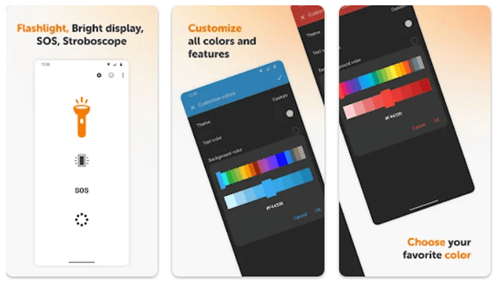
As its name suggests, Simple Flashlight is another incredible free flashlight app for Android. The app makes it easy to turn on the Flashlight. Depending on your situation, the app always waits for your command.
Just Flashlight by Art Line app, Simple Flashlight also has a strobe function to use in different circumstances. Furthermore, it comes with a 1×1 widget with customizable color and transparency.