Android Launchers can recreate your phone’s home screen or act as a personal assistant for you. It gives your phone’s interface a completely new look. Moreover, you can decide your design to implement on the home and lock screen. But do you know, a launcher can change your Android experience into an iOS experience as well.
All the Android users have wondered about getting the iPhone experience on their devices once in a while. iPhones are well known for their sophistication and simple user experience. But it is not always possible for an average man to spend too much money to buy an Apple device to fulfill his curiosity. iOS launchers for Androids may be an excellent fit for these types of situations.
Many iOS Launchers claim to give the best iOS experience in the segment. But actually, most of them fail to do so. Apple smartphones have got the latest stable OS of iOS 14. So here we have listed the best iOS launchers for Android that work and give your device a completely new look.
Also Read- Best Android File Manager Apps
List of Best iPhone (iOS) Launchers for Android in 2022
- ilauncher for OS
- Phone 12 Launcher, OS 14 iLauncher, Control Center
- Launcher iPhone
- iPhone X Launcher
- OS 14 Launcher
- Launcher iOS 14
- Control Center iOS 14
- Lock Screen & Notification iOS 14
1. ilauncher for OS
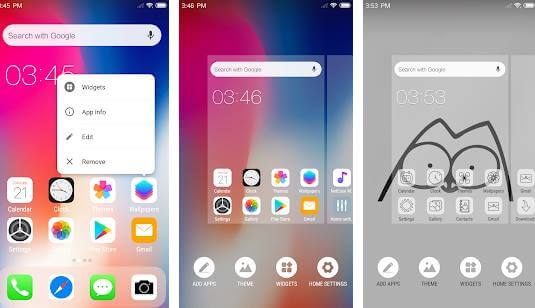 This launcher is a smart application that will give your Android device a complete look at the latest iPhone series. And not only that, the launcher has a lightning-fast speed that gives your device an overall makeover.
You will find several customizable features with Ilauncher like perfect transition effects, gestures to stimulate IOS experience, etc. The best aspect about the launcher is that it is available for all Android devices, be it Android for 4.1 or 9. Initially, the app is free to use, but some features are behind the paywall.
Price: Free, includes In-app purchases
2. Phone 12 Launcher, OS 14 iLauncher, Control Center
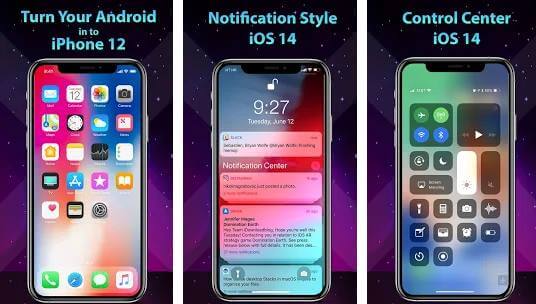 If you want a launcher for your Android device that exactly copies the iOS 14 interface in it, Phone 11 Launcher will be a good choice. The launcher features you and all the Wallpapers available in the latest iPhones.
Moreover, top-notch displays are very well supported in it. Whenever you get any notification, the app will ask for your permission to read and display it on the lock screen. This is a feature very similar to iPhones.
Price: Free, includes In-app purchases
3. Launcher iPhone
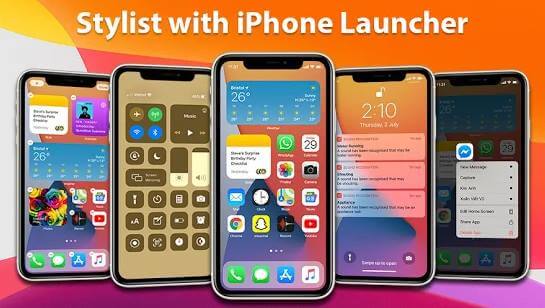 This Android application will turn your device into iPhone X, iPhone 12, or iPhone 12 Pro. It comes with all the iOS 14 features like notification center, smart search, smart group, change icon, etc. Additionally, you will get thousands of icons and themes on Playstore to support it.
iOS 14 has included new features of gestures and home button action. Launcher iPhone also provides you the latest features to use on your Android devices. So overall, it is a perfect launcher to use.
Price: Free, includes In-app purchases
4. iPhone X Launcher
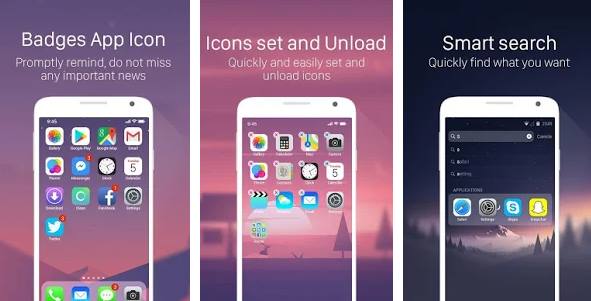 This launcher is a combination of Android and iOS 14 user interfaces that create an unbeatable combo. The developers have picked the best features from the two devices to provide a seamless experience. Apart from iOS14, you will also get a beta version of the latest iOS15 in the iPhone X launcher.
Like iPhones, you can quickly take a picture, turn on lights, WiFi, Airplane mode from the control center of your phone. Additionally, you can scroll back and see the notification that you have missed or removed mistakenly. However, the only downside of this app is the repetitive ads that pop up on the screen.
Price: Free, includes In-app purchases
Download
5. OS 14 Launcher
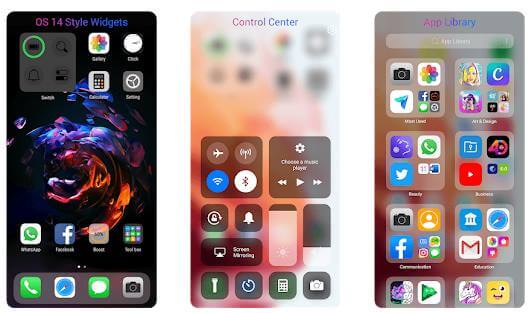 It is the latest launcher that will make your Android device look much better than before. OS 14 Launcher gives a beautiful and luxurious look to different smartphones to appear similar to premium Apple devices.
Along with other iOS 14 features, the distinctive features you will get in it are app library, OS 14 widgets styles, app selections, etc. The application is available for installation in Android 4.4 devices and above.
Price: Free, includes In-app purchases
6. Launcher iOS 14
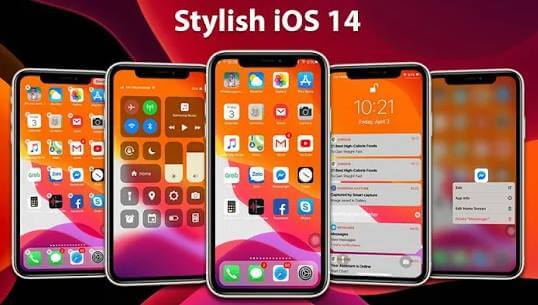 If you want an advanced, elegant, and sleek design in your Android devices, then launcher iOS 14 will help you out. It will give you a similar experience with lightning-fast user speeds of the latest iPhones.
It features a control center, notification center, spotlight, featured lock screen, and lost more that you will only find on Apple devices. The developers have designed the application in such a way that gives you a clean and light experience. Hence it will be compatible even with older smartphones.
Price: Free, includes In-app purchases
7. Control Center iOS 14
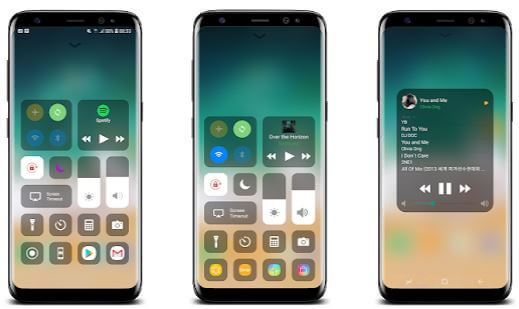 Our next inclusion is a Launcher for Android devices that will give you the ultimate experience of iOS 14. It has a neat and clean interface that gives you a flawless user experience. You can get instant access to various applications such as a camera, screen recorder, clock, etc., with it.
In addition, the easy navigation option allows you to navigate through this iOS launcher and discover other essential features. You can also swipe from the top to get the hangar full of essential features and other much similar options.
Price: Free, includes In-app purchases
8. Lock Screen & Notification iOS 14
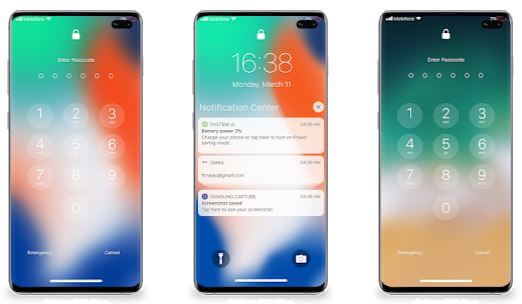 This is our last inclusion in the list of iOS 14 launchers. Lock Screen & Notification iOS 14 is a launcher that will help you get similar features to iOS 14 devices. The app helps you to manage multiple notifications from your lock screen.
It has a very simple user interface and a light design that make it run smoothly. However, you may need to grant a number of few permissions so that it can access different apps on your phone.
Price: Free, includes In-app purchases